
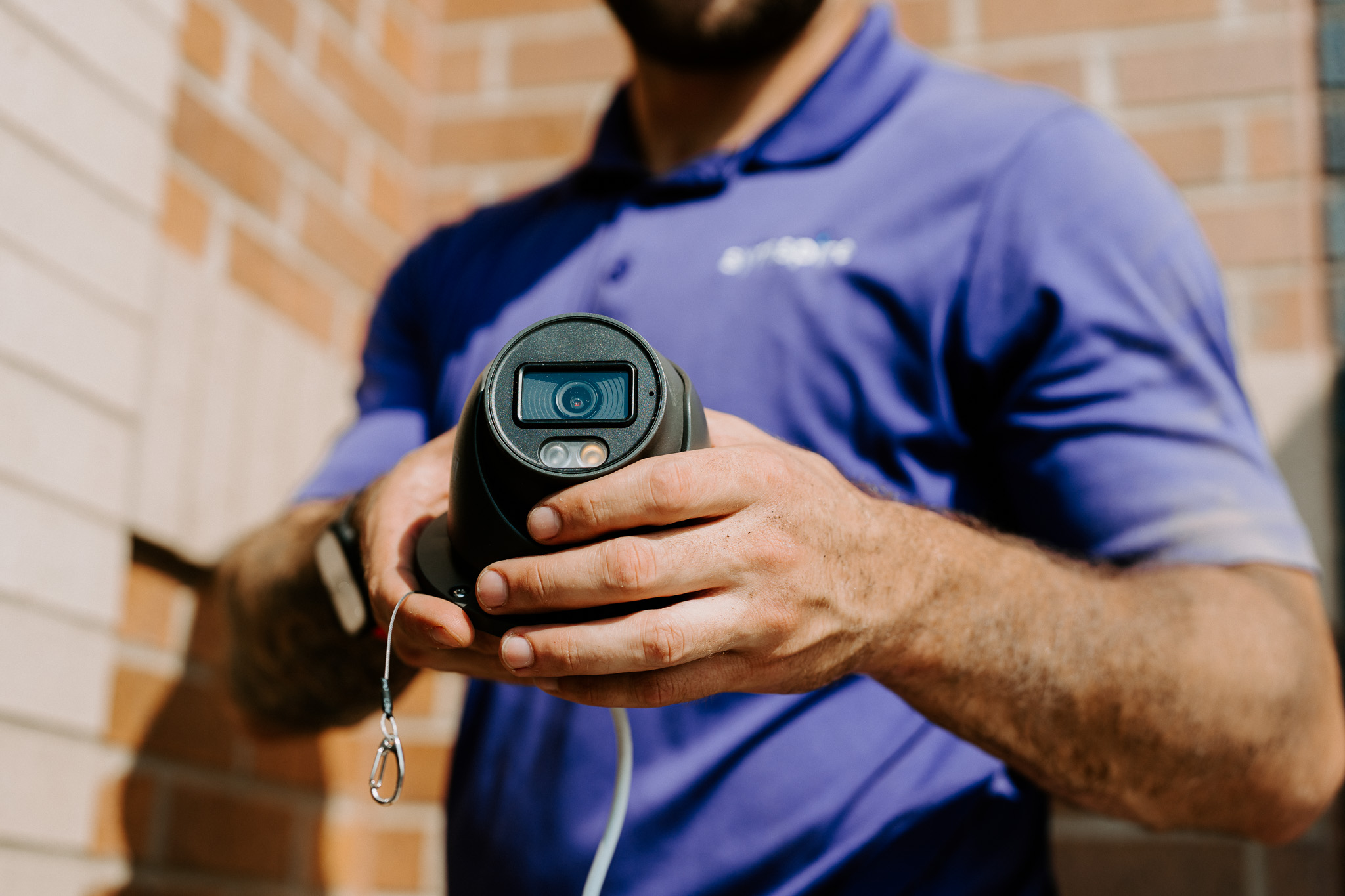
The main concern for most homeowners is the security of their homes, and security cameras play a crucial role in protecting their property. They allow you to identify suspicious activity, monitor who approaches your property, and keep an eye on your home in real time.
In this article, we guide you through what you need to know about security camera installation in Knoxville.
Plan Your Coverage First
Before a single camera goes up, it helps to walk your property and figure out where you are most exposed. A little planning now prevents blind spots and wasted cameras later. Focus on the areas that matter most:
- Entry points: cover your front door, back door, and garage, since these are where most break-ins happen
- Driveways and walkways: keep an eye on approaching visitors and stop package theft before it starts
- Overlapping angles: position cameras so their views slightly overlap and no area is left uncovered
- Mounting height: install cameras around eight to ten feet high to capture clear faces while staying out of reach of tampering
Choose the Right System and Storage
Not all cameras are built the same, and the system you choose affects everything from image quality to how you access your footage. Wired and Power over Ethernet (PoE) systems tend to be the most reliable, while wireless cameras offer easier placement.
The best setups also connect to your broader smart home automation, so your cameras work alongside your lighting, locks, and alerts. Whichever you pick, a few features are worth prioritizing:
- Resolution: high-definition footage helps you actually identify faces and license plates
- Night vision: most incidents happen after dark, so strong low-light performance matters
- Motion detection: get instant alerts the moment something moves on your property
- Weather resistance: Knoxville sees hot summers, storms, and cold snaps, so outdoor cameras need to handle it all
You will also want to decide how to store your footage. Local storage keeps your recordings on your device, while cloud storage lets you access your videos from anywhere. Most homeowners keep two to four weeks of footage, which is usually enough to review any incident.
Understand the Privacy Rules
Cameras come with responsibilities. Keep your field of view focused on your own property and avoid pointing cameras at a neighbor's private space. Indoor cameras should never face bathrooms or bedrooms. If you live in a neighborhood with an HOA, check their guidelines before drilling any holes. A quick conversation up front keeps you compliant and on good terms with the people around you.
Tips for Choosing the Right Company for Security Camera Installation
The company you hire matters just as much as the equipment you buy. While a basic setup can be a do-it-yourself project, a professional install gives you clean wiring, smart placement, and a system that works the first time. A quality installer does more than mount hardware, so keep these things in mind:
- On-site assessment: a reliable company visits your home before quoting, rather than guessing over the phone
- Non-proprietary equipment: choose open systems you own, so you are never locked into one provider
- Professional installation and training: clean wiring and hands-on training mean your system works when you need it
- No long-term contracts: look for a company that earns your business instead of trapping you in a multi-year agreement
- Local reputation: check reviews and confirm they know Knoxville homes and weather
Security Camera Installation Cost in Knoxville
Cost depends on how many cameras you need, the type of system, and the complexity of the install. In Knoxville, a single-camera install can start around $100, while a complete system typically runs between $1,000 and $3,500. Here is a rough breakdown:
- Entry-level setups: two wired cameras with a recorder often land between $593 and $1,296
- Mid-range systems: a four-camera PoE setup usually falls between $1,296 and $2,040
- Premium systems: eight high-resolution cameras with cloud storage and app control can reach $2,040 to $3,500
- Professional monitoring: if you add it, monitoring generally costs $20 to $60 per month
For a closer look at pricing across the state, our guide on home security system costs in Tennessee breaks it down further. Still, the best way to get an accurate number is a free, in-home quote based on your actual property, not a one-size-fits-all package.
Conclusion
Security cameras give you something priceless: peace of mind. With the right placement, the right system, and the right company behind you, you can watch over your Knoxville home from virtually anywhere.
Symspire does not provide traditional security services. Instead, we provide advanced surveillance systems that help you monitor your property from virtually anywhere.
Our systems are professionally installed, built on hardware you own, and backed by real training and ongoing support. If you are ready to protect your home, reach out today for a free quote.
related posts
Discover more.
Explore our latest articles on home and business protection
Pros and Cons of Smart Home Devices: Are They Good for Knoxville?